Why We Don’t Build on Pre-Made Shopify Themes - And Never Will
The theme is designed for everyone. That’s exactly why it doesn’t work for you.
We heard many times: “The other agency offers building on a pre-made theme from the market. It’s faster. It’s cheaper. It looks fine.”
We get it. When you’re browsing the Shopify Theme Store and see polished demos for $350, it’s easy to ask why anyone would pay for custom development.
But after years of building Shopify stores for brands like Carhartt WIP, Pangaia, and Magda Butrym, we’ve learned something the theme marketplace won’t tell you:
The real cost of a pre-made theme isn’t the price. It’s how hard your store is to operate, how performance degrades over time, and how quickly you hit a ceiling when your business needs something the template wasn’t built for.
Here’s why Commerce-UI doesn’t build on pre-made themes, and why you shouldn’t either.

The Bloat & Maintenance Tax
A pre-made Shopify theme is a one-size-fits-all codebase built for many industries like skincare, clothing, gadgets, furniture, and food, all from the same sections, settings, and architecture. The pitch is versatility. The reality is bloat.
Open any popular theme and you'll find hundreds of Liquid templates, bloated section schemas, JavaScript for features most stores never use, and CSS for components your store doesn't render. Even unused settings and conditional logic still live in the codebase, adding weight to every page load.
And it doesn't stop at the theme. The average Shopify store runs six apps, heavier stores run 20 or more, and each one injects Liiquid files. Layer them on top of an already bloated theme and you've got a store working against itself.
The cost goes beyond page speed. A pre-made theme ships with thousands of lines built for scenarios that have nothing to do with your store. Your developers don't get to work with a few hundred lines of clean, purpose-built logic. Instead, they're navigating thousands of lines of someone else's code, trying to figure out what's safe to touch. Every change means checking compatibility against features nobody uses. Review time goes up. Debugging gets harder. You pull one string and something else breaks. After twelve months, you're not maintaining a theme anymore. You're maintaining a patchwork of workarounds on top of a codebase you never wrote.
The difference is simple: with a custom build, you focus on what to add. With a pre-made theme, you spend your time figuring out what to remove. And if the foundation is wrong, removing things won't fix it.
The Performance Tax
All that bloat costs you money. Directly.
Sites that load in one second convert three times more than those that take five seconds (Portent). On mobile, every extra second can drop conversions by up to 20%. And a Deloitte study found that even a 0.1-second improvement can boost retail conversions by 8.4%. These numbers affect revenue.
But here’s what most people miss: performance problems don’t show up on launch day. Day one is usually fine. The real issues start after six to twelve months, when you’ve added more content, more integrations, more custom sections. That’s when things get patched together, fixes that solve one problem but break another. The amount of unused JS and CSS grows. Options start conflicting.
A pre-made theme starts heavy and gets heavier. If the baseline payload already includes unnecessary CSS, JavaScript, and theme logic before product media is even considered, every page begins with avoidable overhead. Image optimization and CDN caching can reduce some of the cost, but they cannot fully offset a bloated theme architecture.
And Google knows it. Core Web Vitals, the metrics that affect your search ranking, penalise exactly this kind of bloat. Largest Contentful Paint suffers because the browser is busy parsing code it doesn’t need. Cumulative Layout Shift spikes because third-party scripts load unpredictably.
The Generic Look and Feel
There are hundreds of thousands of Shopify stores running the same handful of themes.
Modern eCommerce isn’t about listing products anymore. The brands that win are investing in storytelling, content-rich experiences, and building real loyalty through every touchpoint. Your online store isn’t just a product catalogue anymore. It reflects your brand.A theme used by 1,500 other brands won’t express your brand. It wasn’t built to tell your story. It was built to be inoffensive enough for everyone, which means it works really well for no one.
The stronger your brand identity, the worse a pre-made theme serves you. Branding options in these themes stop at colours, fonts, and a logo swap. That’s not what creates a brand. The real difference is in how people move through the site. The flow. The feel. In pre-made themes, that part stays the same from store to store. You end up with something that feels like a Shopify store, not your brand.
We saw this clearly with Lupine Lights, where we built a “Shine On” feature that lets customers compare real illumination scenarios directly on the PLP or subtly explore this brand statement in the footer. Brand DNA is tightly woven into the digital design of the website. Features like these are only possible when you design from scratch — with a clear understanding of the brand and what you want to present. You can’t get there by adapting a generic template after the fact. You could try, technically, but it would lack solid foundations, feel inconsistent, and constantly fight the theme.

↑ The comparison feature on Lupine Lights, letting customers compare real illumination scenarios directly on the product listing page.
Editorial Nightmare
Pre-made themes give you sections and settings. Swap images, change colours, toggle features. It feels flexible, until you look closer.
Each section tries to do everything. In practice, that means dozens of settings your team won’t use, and just enough control to break consistency. Editors get too much freedom in the wrong places, and not enough where it matters, like launching campaigns or shaping product stories.
So they stop experimenting. And when your team avoids the site, your brand stops moving.
What we see again and again: teams need one or two options the theme doesn’t support, while most of what it offers goes unused. The result is workarounds, small hacks that pile up over time. The store starts to feel inconsistent and incomplete.
And the limits are real. You can’t change how pages actually work. You can’t shape the product page around how customers decide. You can’t build landing pages that tell a clear, structured story.
Every quick fix makes it worse. A snippet override here, a CSS hack there. Soon, you’re not running a theme, you’re running a patchwork no one wants to touch.
That’s technical debt. And pre-made themes hit that ceiling fast.
Custom builds start from your needs. The structure fits your workflow. The editing experience is intentional. And every change builds on a solid base, instead of working around one.
Read more: How Aether Apparel — a fashion brand from Los Angeles manages content in eCommerce

↑ Aether Apparel's editorial sections — built as reusable, brand-consistent blocks that editors can mix freely without breaking the design.
The Data Model Trap
Shopify is flexible. You can build custom data models with metafields and metaobjects. But pre-made themes are built around the default product, collection, and page model.
When you build from scratch, the data model is designed around your business from day one. Your content structure, product relationships, and editorial workflows aren’t adapted to fit a template. They’re the starting point. And that changes how your team works with the store.
The editorial experience can be shaped around the data coming from your ERP or PIM, not the other way around. Editors get an interface that reflects your business logic, not a generic theme. Fields make sense. Content flows naturally. No one has to reverse-engineer a workaround just to publish a product the way your systems already define it.
For a jewellery client migrating from WooCommerce, editorial content didn’t fit Shopify’s one-template-per-product approach. Instead of forcing a new workflow, we mirrored their structure using metaobjects. They could reuse content across products, just like before.
Another example is product configurators. Pre-made themes don’t support them. So you install an app, often inside an iframe with limited styling control. It looks like what it is — something added on top, not part of the store.
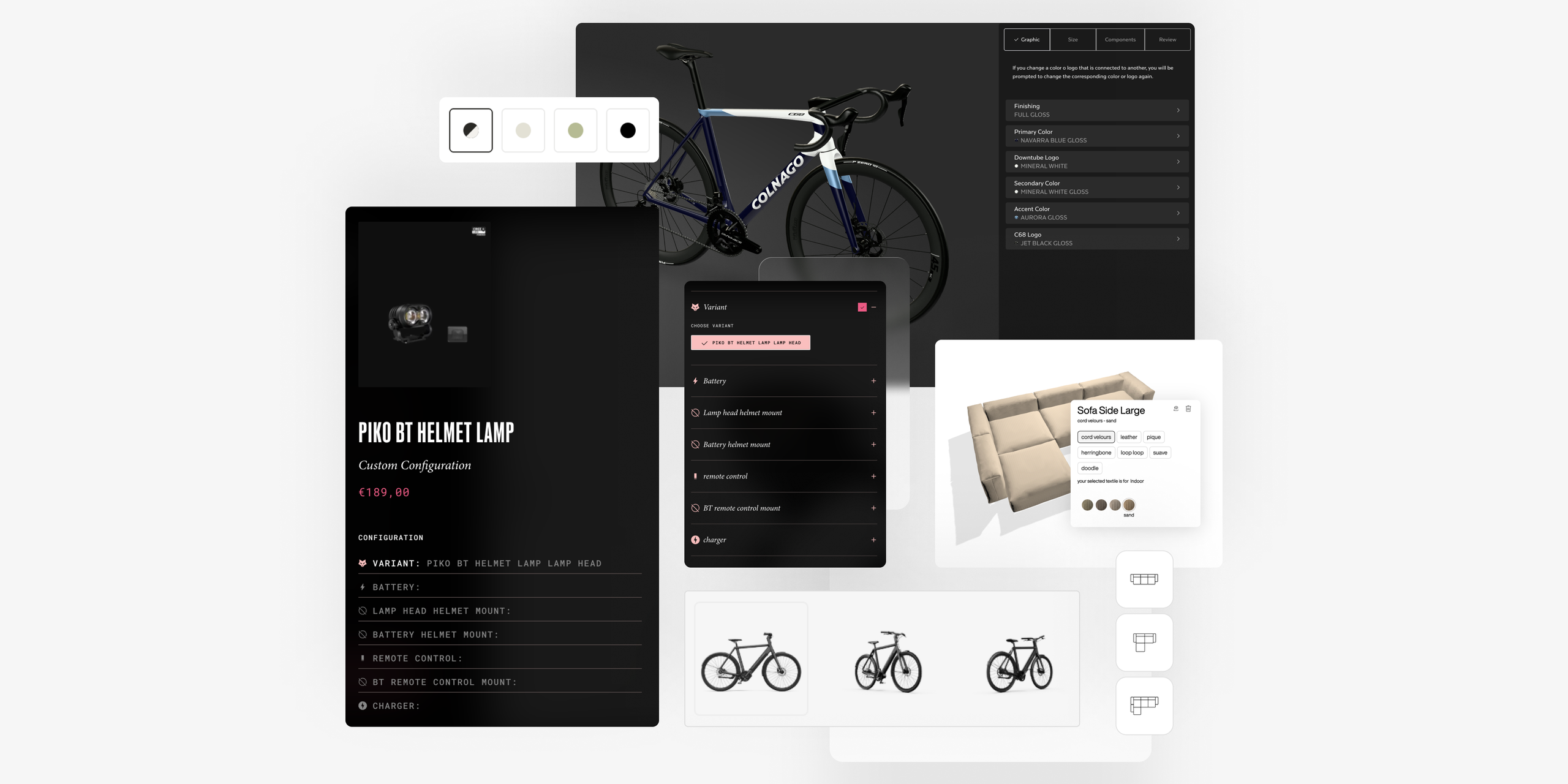
For Lupine, we built a Shopify-native product configurator using Metaobjects - no third-party apps. Roughly 10 legacy products now live as one configurable product, fully integrated into the theme's architecture. Built for exactly what they needed. Nothing more.

↑ A native product configurator built directly into the Lupine Lights storefront — no third-party apps, no iframes, just a seamless part of the buying experience.
What Custom Actually Means at Commerce-UI
When we say “custom,” we don’t mean “expensive for the sake of it.” We mean purpose-built.
We never start from zero. We have our internal framework — tested patterns for cart behaviour, PLP filtering and pagination, search, PDP variant switching, media handling, and accessibility. The mechanics that every good Shopify store needs, built the right way. We use Liquid’s native capabilities first, then progressively enhance with JavaScript. We use TypeScript, we test complex logic, and we keep close to the platform. The result is code that’s predictable, easy to review, and easy to maintain.
But those are just building blocks, not a finished theme. Every project starts with your brand and commercial goals. We design from scratch, with full control over UX, shaped around how your customers actually shop.
For Lupine, the architecture centres on B2B: automated onboarding, account lifecycle management, and dynamic pricing across 15+ customer groups.
For Pangaia, we rebuilt the PDP structure so their team can launch products and tell richer stories, using 30+ reusable sections without relying on developers.
The code is lean because it only does what your store needs. The design is yours because it’s built around your brand identity. The architecture grows with you because we plan for where you’re headed, not just where you are.
A Word on When Themes Do Make Sense
We’d be dishonest if we didn’t say this: pre-made themes have a place.
If you’re a founder with a new idea and limited runway, your job isn’t to build a perfect website. It’s to test market fit. Can people find your product? Will they convert?
At that stage, the goal is simple: get live, sell, and learn. A pre-made theme does that well. It gives you a working store in days, not months, and lets you spend on product, content, inventory, and your first customers.
That was Shopify’s premise from day one. Lower the barrier to getting online. And pre-made themes serve that well.
We respect that stage. We’ve all been there.
But there’s a moment, and if you’re reading this, you probably feel it, when the theme stops helping and starts holding you back.
You’re paying for traffic and sending it to a store that looks like everyone else’s. Your ops team is managing a fragile setup of 20+ apps no one wants to touch. Your designer hands over a mockup and your developer says, “The theme can’t do that.”
That’s the inflection point. That’s where we usually come in, to take the brand further.
The Bottom Line
If you’re still validating, launch on a theme. Move fast. Learn what works.
But if you’re past that, investing in growth, building something people remember, where every percentage point of conversion matters, a pre-made theme starts working against you.
A theme is where you start. It’s not where you stay. At Commerce-UI, we build stores worth staying for.